The founder
Launch your idea this month
Go from a one-page brief to a working MVP and a live landing page with a waitlist.
- Tools
- ClaudeClaude CodeVercel
- Path
- Build With AI
Learn to ship products with Claude, Codex and Cursor in five-minute lessons, with no terminal required. Koda teaches you just enough code to make what the AI builds look great and actually work.
7-day free trial on every plan for first-time members · Cancel anytime
36 courses · 600+ lessons · 84 real projects · Web · iOS · Android · EN · UZ · KO · RU · ES · FR · DE · AR
gym-habits
Describe an app. Claude Code builds it.
A habit tracker for my gym with a streak counter

Learn the tools builders use
Pick your outcome
Choose the result you want. Koda starts you on the right path, with the tools and the first lesson that get you there.
The founder
Go from a one-page brief to a working MVP and a live landing page with a waitlist.
The product manager
Turn a one-paragraph brief into a clickable prototype and a spec your team can react to.
The designer
Ship a responsive site that matches your design, with design tokens and accessibility built in.
The career-switcher
Build a portfolio that proves it: a RAG app, a tool-using agent and an eval harness.
The marketer or operator
Delegate research briefs, weekly reports and content kits to an agent, safely.
The developer
Run agents in parallel with review gates, CI and MCP tools you can trust.
How it works
Five minutes a day, and every lesson ends with something you did yourself.
Learn the move in 5 minutes
One idea with real code in context, then you act on it: predict the output, tap the bug, fill the gap.
Do it with the AI
Practice prompts in simulated Claude, Codex and Cursor chats. See what the agent builds, then check its work.
Ship a real project
Guided projects end in a working build you can show: a landing page, an app, an agent.
My filter returns every item. What am I missing?
 For one item you expected to remove, what does your callback return?
Inside the app
Every screen below is the app you get on day one, on web and mobile, in English, Uzbek, Korean, Russian, Spanish, French, German and Arabic.
Learn by doing
Lessons are short, tap-first and graded the moment you press CHECK. Prompt cards put you in a simulated AI chat, and Ask Koda opens a hint instead of handing over the answer.
PythonVariables
Predict the output
a = 5
b = a
a = 9
print(b)What does this code print?
Follow a path
Pick a path and Koda orders the courses for you, estimates a finish date from your daily pace, and always shows the next lesson to open.
The Learn tab listing the learning paths, led by Build With AI, each with its figure, course count and finish-date estimate.
Build real things
Every course ends in something you can show. Projects list the skills they prove, so a finished build reads like evidence instead of a certificate.
The Projects tab showing guided projects, career-track filters, and the Coffee Shop Receipt build with its skills, XP, duration and locked status.
The difference
Anyone can get an AI demo. Koda teaches the passes that turn it into a product people trust.
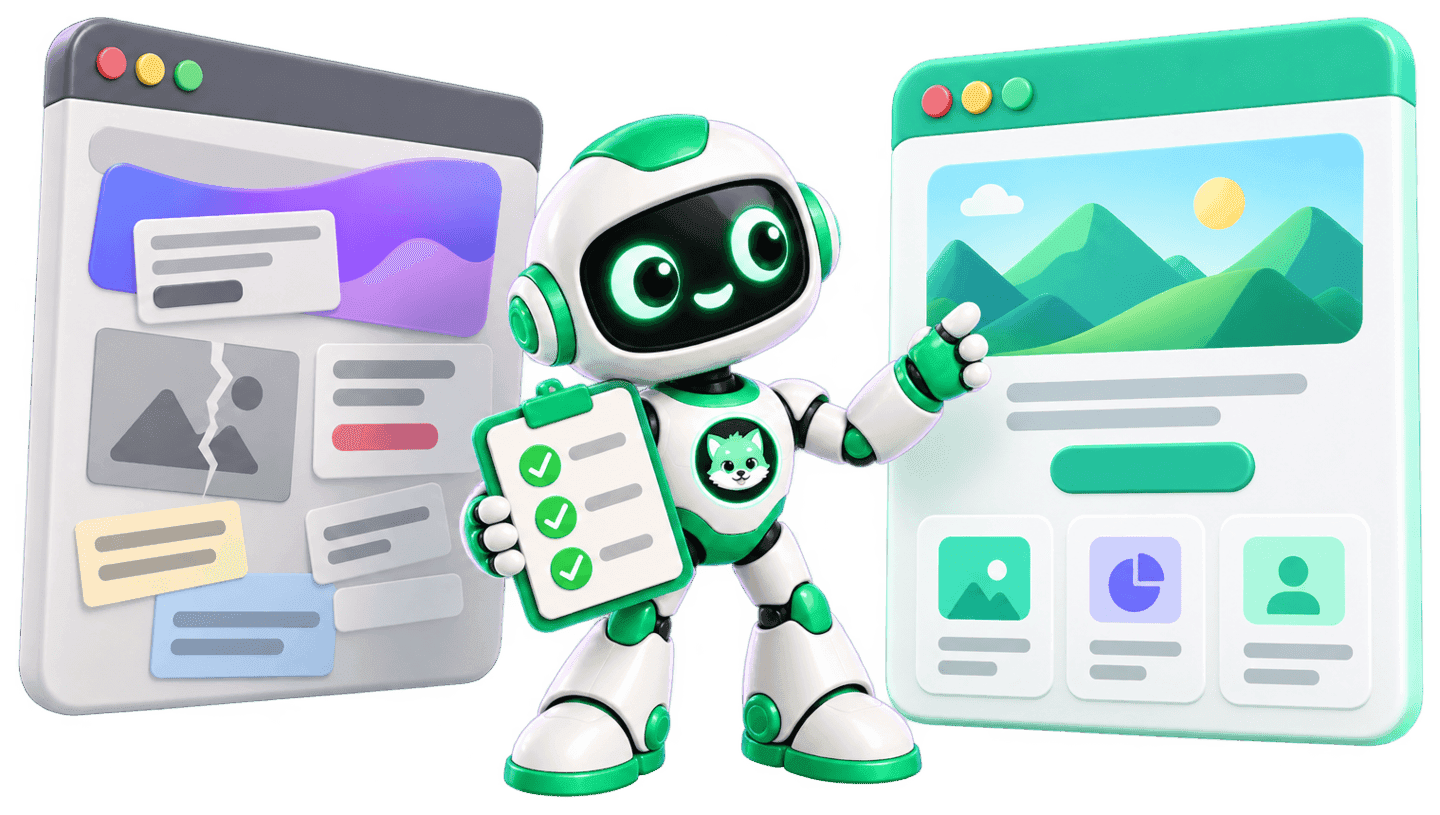
Generic AI demo
Koda-trained build
Design pass
Spacing, type and color that look intentional, not default.
Tests
Checks that prove it works before your users find out it doesn't.
Security
Secrets, inputs and permissions handled before launch.
Accessibility
Keyboard, contrast and screen-reader basics, so everyone can use it.
Choose an outcome
Build With AI comes first: ship with the tools, then learn the code underneath. Every course stays visible, marked with the plan that opens it.
9 course sequencePro
Go from idea to a live product with Claude, Codex and Cursor. No terminal needed.
Built forThe founder · The product manager · The designer · The marketer or operator
11 course sequencePro
Build the AI inside products: prompts, RAG, agents, evals, tools.
Built forThe career-switcher
16 course sequencePro
Write and review real software with a team of coding agents.
Built forThe developer

14 course sequenceBasic
Build, secure, observe, and share complete browser-to-database applications.

10 course sequenceBasic
Turn Python and data into useful, dependable systems.
Always current
AI tools change every month. Koda keeps a dated ledger of every tool detail a lesson relies on and re-checks each one at least every 120 days, or the build fails. The latest checks:
Tool lessons re-verified November 1, 2026Every tool claim re-checked on or after September 12, 2026
Three ways in
Every plan opens with a 7-day free trial for first-time members, and yearly billing saves three months.
Basic
$45/year
Full-Stack Web Developer and Python & Data Developer paths, plus Claude for Builders
200 AI Points a month
Pro
$81/year
Every course except the 3 advanced agent courses, plus guided projects
1,000 AI Points a month
Ultra
$180/year
Adds the 3 advanced agent courses, path certificates and early access to new courses
2,500 AI Points a month
Good questions
No. The Build With AI path starts from zero, and you pick up code as you need it: enough to read what the AI wrote, fix it and make it look right.
Not to learn: lessons simulate the tools, so you can practice without any account. To build for real, free tiers cover some projects, and every course teaches the free route first wherever one exists. Claude Code and Cowork need a paid Claude plan.
No. Koda is independent and is not affiliated with, sponsored by or endorsed by Anthropic, OpenAI or Anysphere. Claude and Claude Code are trademarks of Anthropic, PBC. ChatGPT and Codex are trademarks of OpenAI. Cursor is a trademark of Anysphere. Koda names these tools only to describe what its lessons teach.
Because AI writes a first draft, not a finished product. You still decide what it should do, test the result and fix what breaks. Koda trains exactly that: predicting output, spotting bugs and shipping projects you understand.
Basic is for learning to code: the Full-Stack Web Developer and Python & Data Developer paths, plus Claude for Builders. Guided projects start at Pro. Pro is for building with AI: every course except the 3 advanced agent courses, plus guided projects. Ultra adds those courses, path certificates and the most AI Points. Not sure? Start with Pro.
Yes. Pick your goal, build a tiny app in about a minute and try a preview lesson before you choose a plan. Every plan then starts with a 7-day free trial for first-time members, and you can cancel anytime before it ends.
Yes, the full product: every course, lesson, project and screen in English, Uzbek, Korean, Russian, Spanish, French, German and Arabic, on web and mobile.

Your idea, live
Pick a goal, watch a tiny app come together, then keep going with your first lesson.